Mechanical Design1.0
Publisher Description


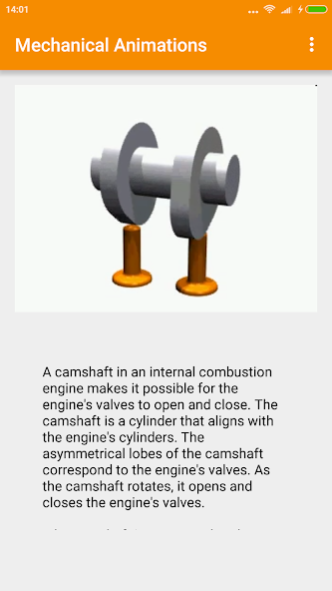
Mechanical Design Engineering Animations App gives you a glimpse into the intriguing world of mechanical engineering designs. Watch Engineering designs in action as they move gracefully.
Mechanical Design Engineering Animations includes animations of such mechanical designs as:
IC engine, rotary engine machine, mechanical engineering differential design, mechanical design of shotgun reloading, mechanism of semi-automatic pistol, mechanical design of boxer engine machines, mechanism of crank and rocker, mechanical design of double crank, mechanism of single crank.
Also, in this Mechanical Design Engineering app, animations include designs of alpha stirling engine, mechanical engineering model of klann linkage, designs of engineering model of camshafts, mechanical design app model of wankel engine, mechanical model of geneva drive, mechanical design animation of plane landing, mechanical engineering model of sarrus linkage, mechanical design of universal joint, and many more!
About Mechanical Design
The company that develops Mechanical Design is CoderBro. The latest version released by its developer is 1.0.
To install Mechanical Design on your Android device, just click the green Continue To App button above to start the installation process. The app is listed on our website since 2017-01-22 and was downloaded 14 times. We have already checked if the download link is safe, however for your own protection we recommend that you scan the downloaded app with your antivirus. Your antivirus may detect the Mechanical Design as malware as malware if the download link to com.coderbro.logicgate.mechanicalanimations is broken.
How to install Mechanical Design on your Android device:
- Click on the Continue To App button on our website. This will redirect you to Google Play.
- Once the Mechanical Design is shown in the Google Play listing of your Android device, you can start its download and installation. Tap on the Install button located below the search bar and to the right of the app icon.
- A pop-up window with the permissions required by Mechanical Design will be shown. Click on Accept to continue the process.
- Mechanical Design will be downloaded onto your device, displaying a progress. Once the download completes, the installation will start and you'll get a notification after the installation is finished.
